One film studio for all your channels in one place.
Plan, produce AI videos, schedule posts and reply to customers across Facebook, Instagram, YouTube and Threads – all in genSway. Your data stays safely on your computer.
-
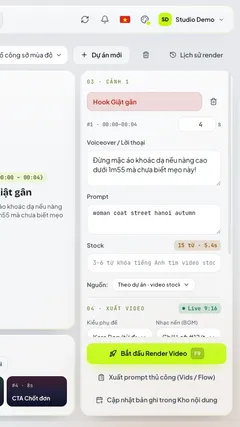 Video studio
Scene 01 · AI Video Creator -
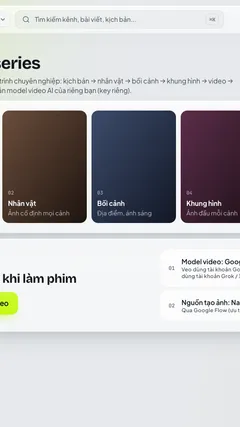 Film studio
Scene 02 · AI Film Maker -
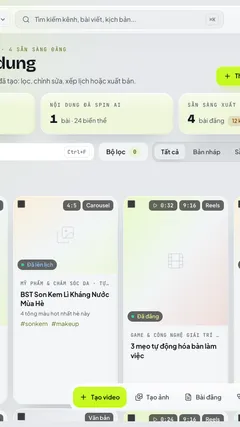 Content library
Scene 03 · Content library
Manage every platform in one place: Facebook, Instagram, YouTube, Threads, Unified inbox, Best-time scheduling
- 4 social platforms
- 6 AI content tools
- AES-256 encrypted tokens & API keys
- Offline keeps working without internet
Features
From idea to post – one reel, no cuts in between.
- Scene 01Plan
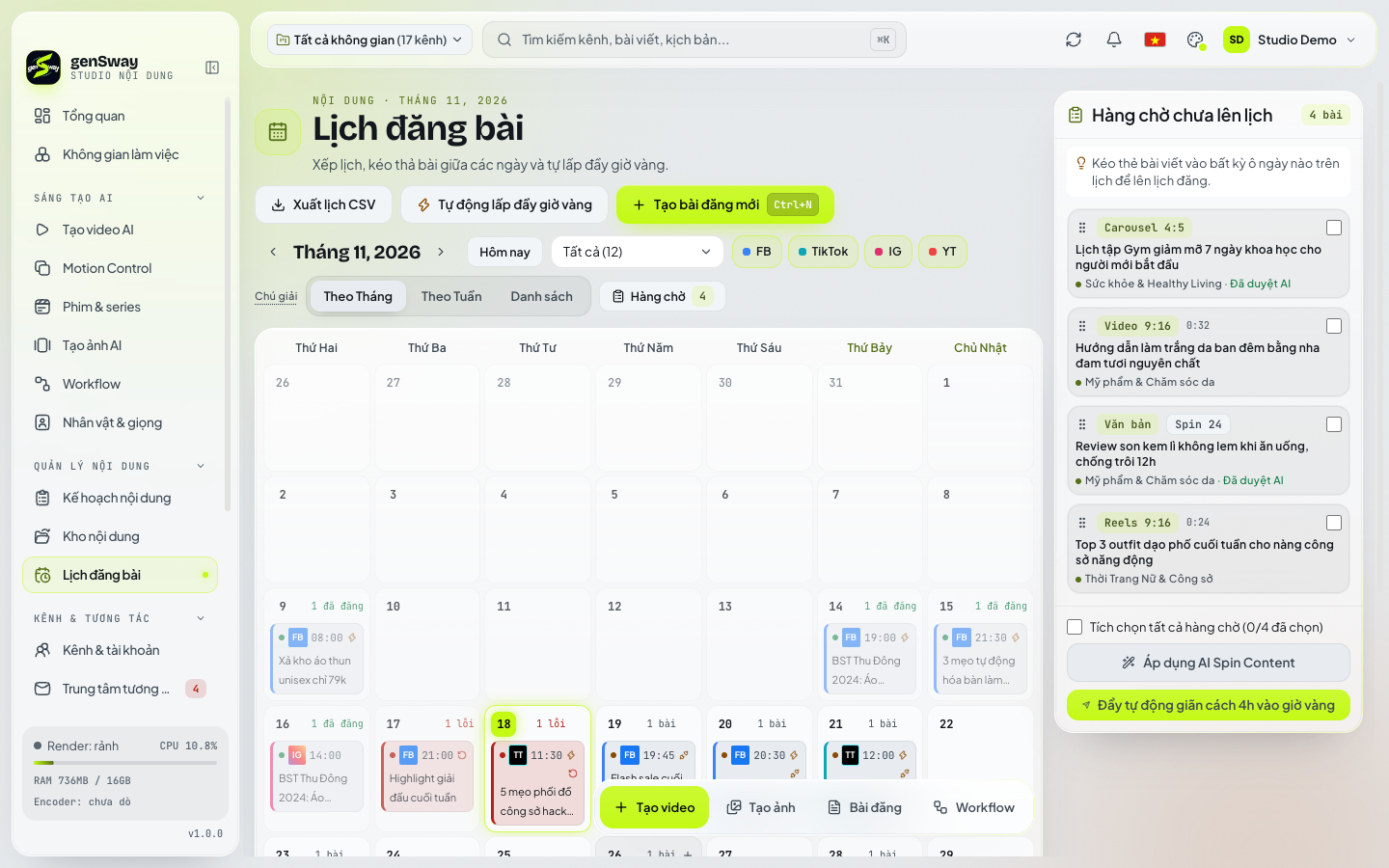 Learn more about Planning & scheduling
Smart planning & scheduling
AI proposes a content plan based on each page's performance and search trends, then publishes in each niche's best time slots.
- 7–30 day AI content plans – one click to a video or post
- Central content library with AI-written variants per channel
- Drag-and-drop calendar, queue and best-time slots
- Auto-publish to many channels at once
- Scene 02Produce
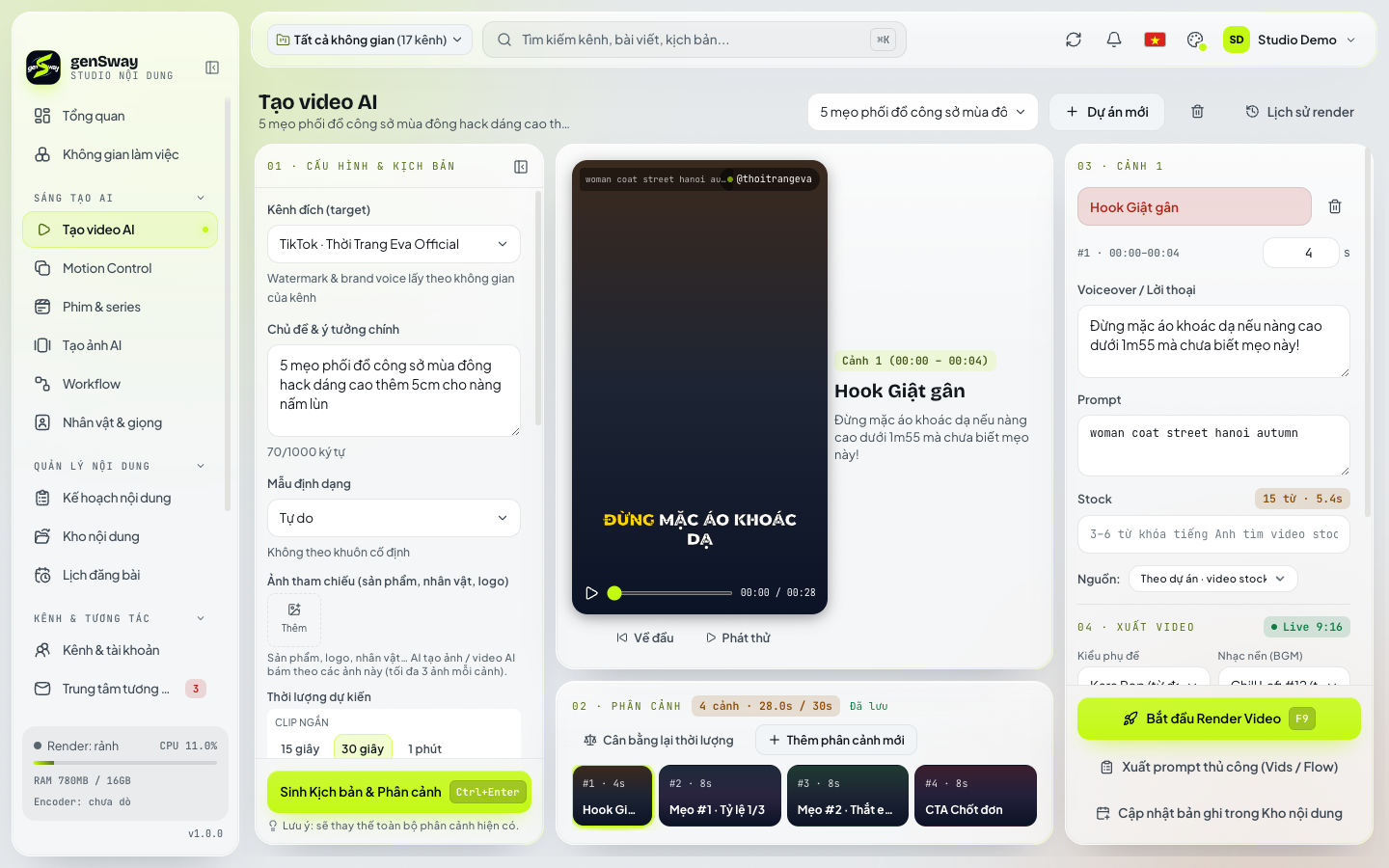 Learn more about AI Video Creator
AI content production
Turn a topic into a finished video with script, voice-over and subtitles – or produce multi-scene short films with consistent characters.
- AI Video Creator: topic → script → vertical video with voice-over, subtitles and music
- AI Film Maker & AI Video Series: multi-scene short films with consistent characters and locations
- Motion control: swap the character while keeping motion, scene and camera angles
- AI Image Creator and AI Voice (text-to-speech) for stories and audiobooks
- Scene 03Inbox
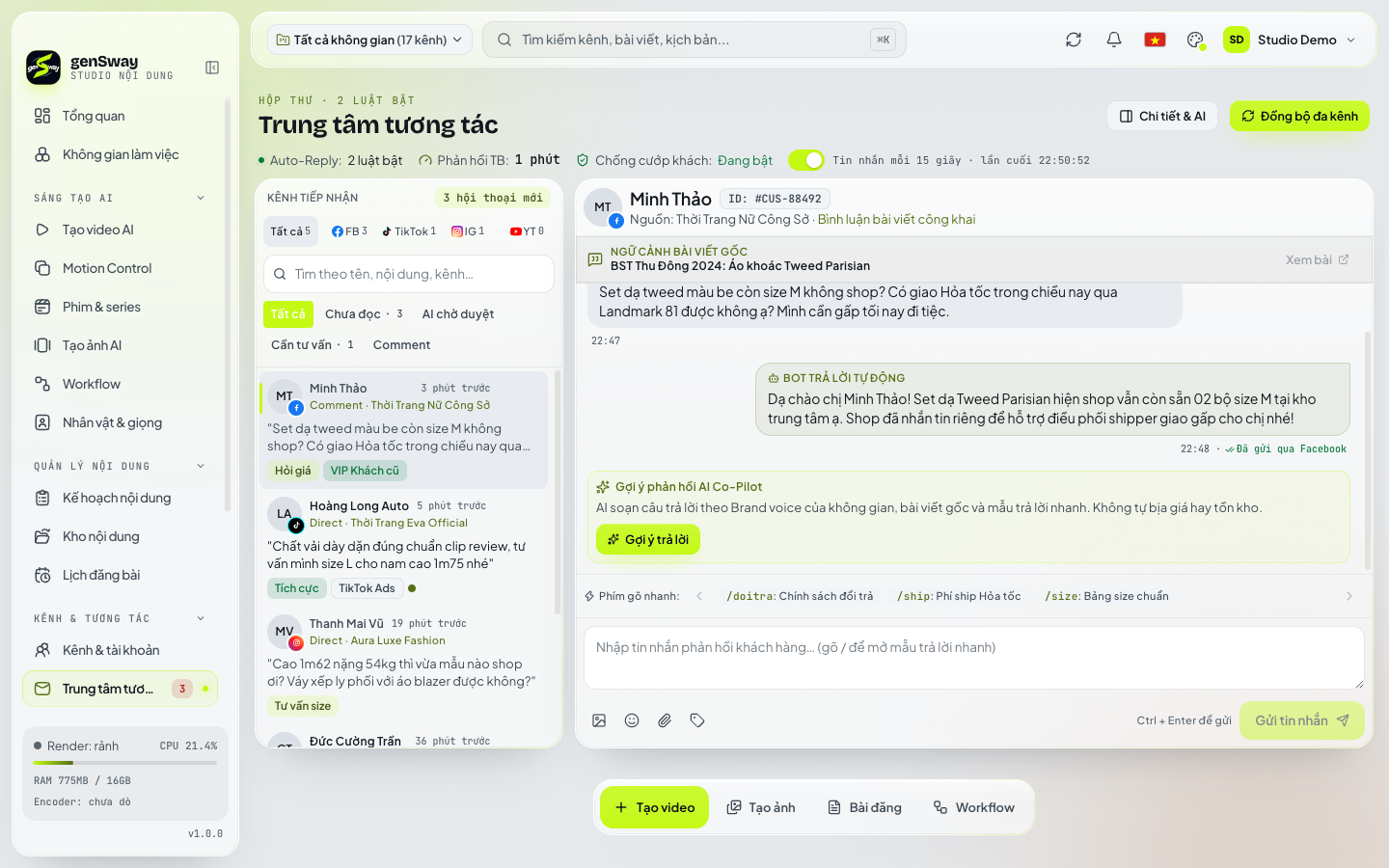 Learn more about Unified inbox
Unified inbox, faster replies
Messages and comments from every channel in one place; AI suggests replies in your brand voice using your shop's knowledge.
- Messenger and Facebook, Instagram comments on one screen
- AI reply suggestions based on your prices and policies
- Auto-reply rules and lead tagging
- Hide comments containing phone numbers to protect your leads
- Scene 04Measure
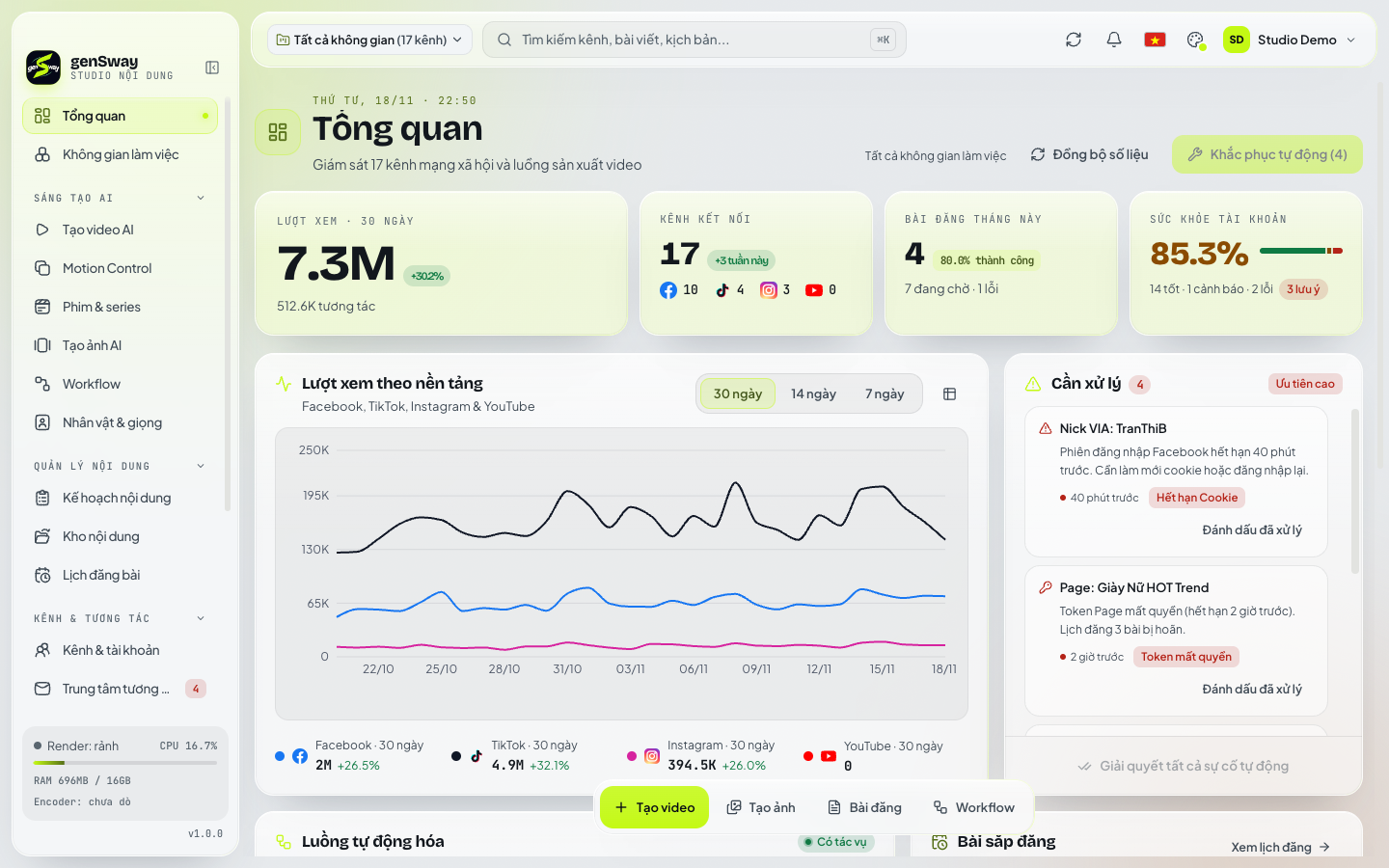 Learn more about Multi-channel management
Multiple niches, clear reporting
Split each business niche into its own workspace with channels, brand voice, AI budget and reports.
- Workspaces (Pockets) per niche: channels, rules, AI budget
- Views, engagement and best times per platform
- Alerts for expired tokens and channels needing attention
- Monthly AI spend caps – never overshoot your budget
See genSway in action
Quick look · 20 secondsMotion control
Keep the motion.Change the cast.
Upload a video that performs well and add your model and outfit photos. AI reads every shot – motion, camera, scene – and recreates the video with your character via Google Flow.
-
Reference video
Upload a file or paste a link. AI splits it at scene cuts and describes motion second by second.
-
Character & outfit
Add model, outfit and object photos (car, product). The app builds a 2×2 character sheet.
-
New video
Each segment is recreated with your character and stitched to the original length – with the original audio if you like.
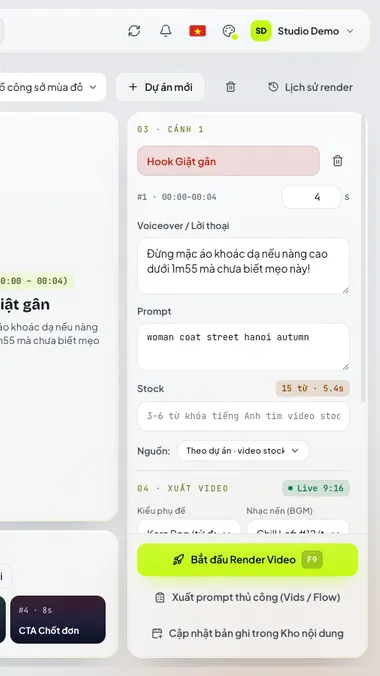 Reference video
 Your character
Why genSway
Runs on your computer. Not on someone else's cloud.
- Item 01
Your data stays local
Channels, videos, schedules and inbox are stored on your machine – not on our servers.
- Item 02
AES-256-GCM encryption
Tokens and API keys are encrypted with a per-account key kept in your OS keychain.
- Item 03
Works offline
Your license works offline for days; scheduled posts resume as soon as you're back online.
- Item 04
Built-in AI or your own keys
Use genSway AI within your plan's quota, or connect your own Gemini, OpenAI, Claude… keys.
- Item 05
Transparent costs
Track monthly AI spend and set a budget for each workspace.
- Item 06
Signed updates
The app verifies the signature and sha256 before downloading and installing any update.
Who it's for
Built for every content team
-
Online shops & TikTok Shop
Ship product videos daily and reply to customers fast – no missed orders.
-
Agencies & channel ops teams
Run dozens of channels for many clients, neatly separated by workspace.
-
Content creators
From idea to video, series and short films – keep a steady posting rhythm.
-
Businesses
One unified content workflow with AI costs under control.
Get started in minutes
3 steps to run all your channels
-
Install & sign up
Install on Windows or macOS and sign up with email – 7-day full-feature trial included.
-
Connect channels
Connect Facebook, Instagram, YouTube and Threads and group them into workspaces.
-
Create & schedule
Let AI plan and produce videos, then schedule them into the best time slots.
FAQ
Frequently asked questions
What is genSway?
genSway is a desktop app (Windows, macOS) for running many Facebook, Instagram, YouTube and Threads channels: plan content, produce AI videos, schedule posts, reply to messages and track performance in one place.
Where is my data stored?
Channels, content, videos, schedules and inbox are stored on your computer. Our servers only keep your account, plan, license, orders and support requests.
Is there a free trial?
Yes. Every new account gets a 7-day trial with all Pro features – no credit card required.
How many computers can one account use?
It depends on the plan: Starter 1 device, Pro 2 devices, Enterprise 5 devices. You can remove an old device under Devices to move to a new one.
Do I need my own AI API key?
No. Your plan includes a daily genSway AI quota. If you prefer, connect your own keys (Gemini, OpenAI, Claude…) and track the cost inside the app.
What does Motion control need?
Motion control uses Google Flow, so you sign in to Google Flow inside the app. You need a reference video you have the rights to and photos of yourself or a model who has consented.
Does the app work offline?
Yes. Your license allows offline use for several days; scheduled posts are published once you are back online.
How do I pay?
Pick a plan in the app and pay by bank transfer using the VietQR code. Your plan activates automatically once the payment arrives, usually within minutes.
Can I cancel or get a refund?
You can stop renewing at any time. The refund policy is described in the Terms of Service.
Is it safe for my social accounts?
genSway connects through each platform's official sign-in and stores tokens encrypted on your computer. You remain responsible for following each platform's terms and content policies.
Produced by: YouScene: FinalTake: 01
Action.
Download genSway and try it free for 7 days – no credit card required.